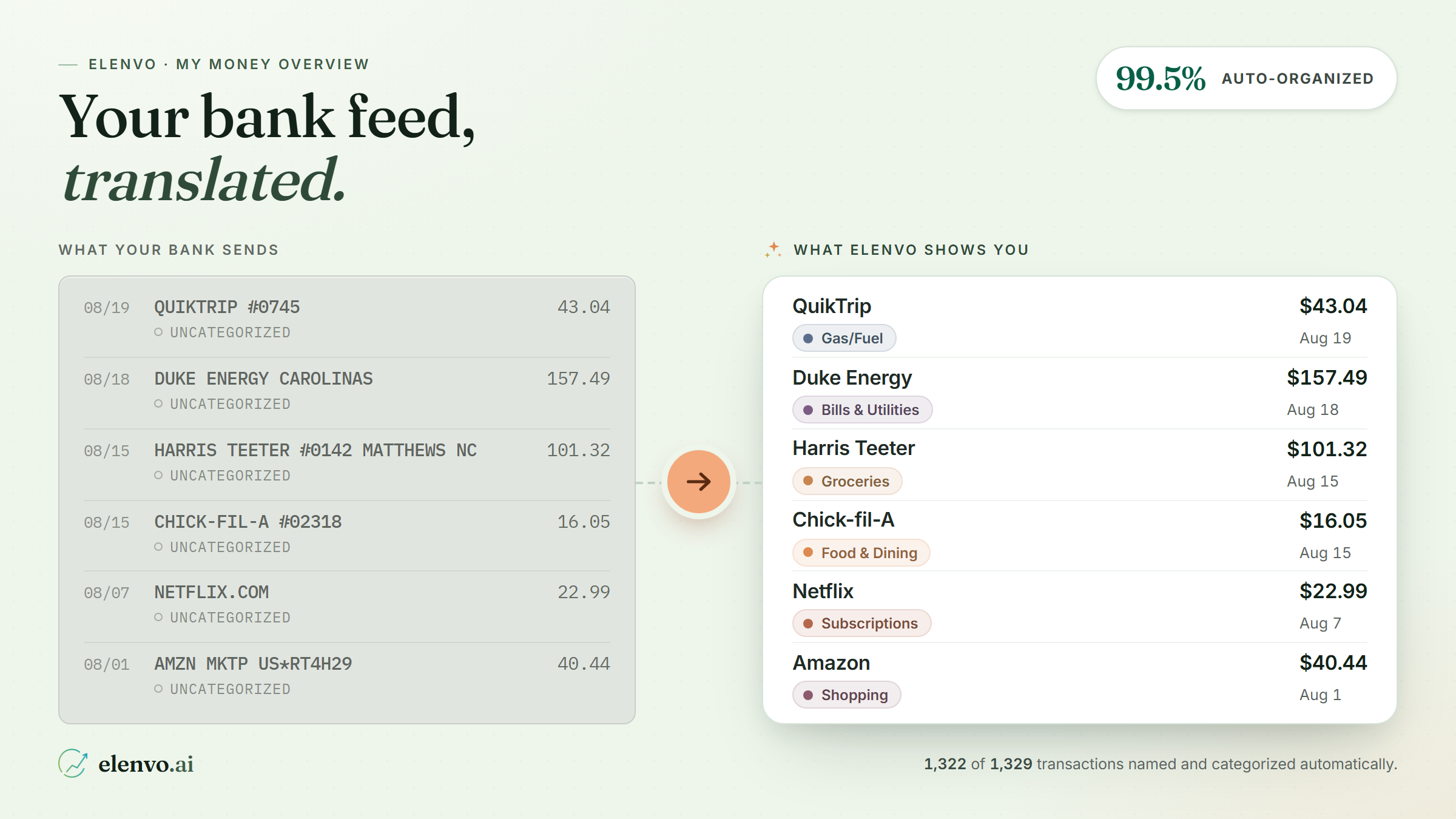
Open your banking app and you get a list. CHECKCARD 0123 TST* JOE'S PIZ. SQ *STARBUCKS #12345. AMZN MKTP US*MV5X91YZ3. Technically, that is your money. Practically, it is a wall of noise — three hundred rows a month written in a language nobody speaks.
Most people don't have a budgeting problem. They have a legibility problem. You can't manage what you can't read.
So we built My Money Overview: one page where your bank feed gets translated into plain English, sorted into categories, and drawn as a picture you can actually point at.
One page, three tabs
Everything lives together — Overview for the charts, Transactions for the line-by-line detail, Categories for how it all gets grouped. No hunting across five screens to answer one question.
Charts that answer a question instead of decorating the page
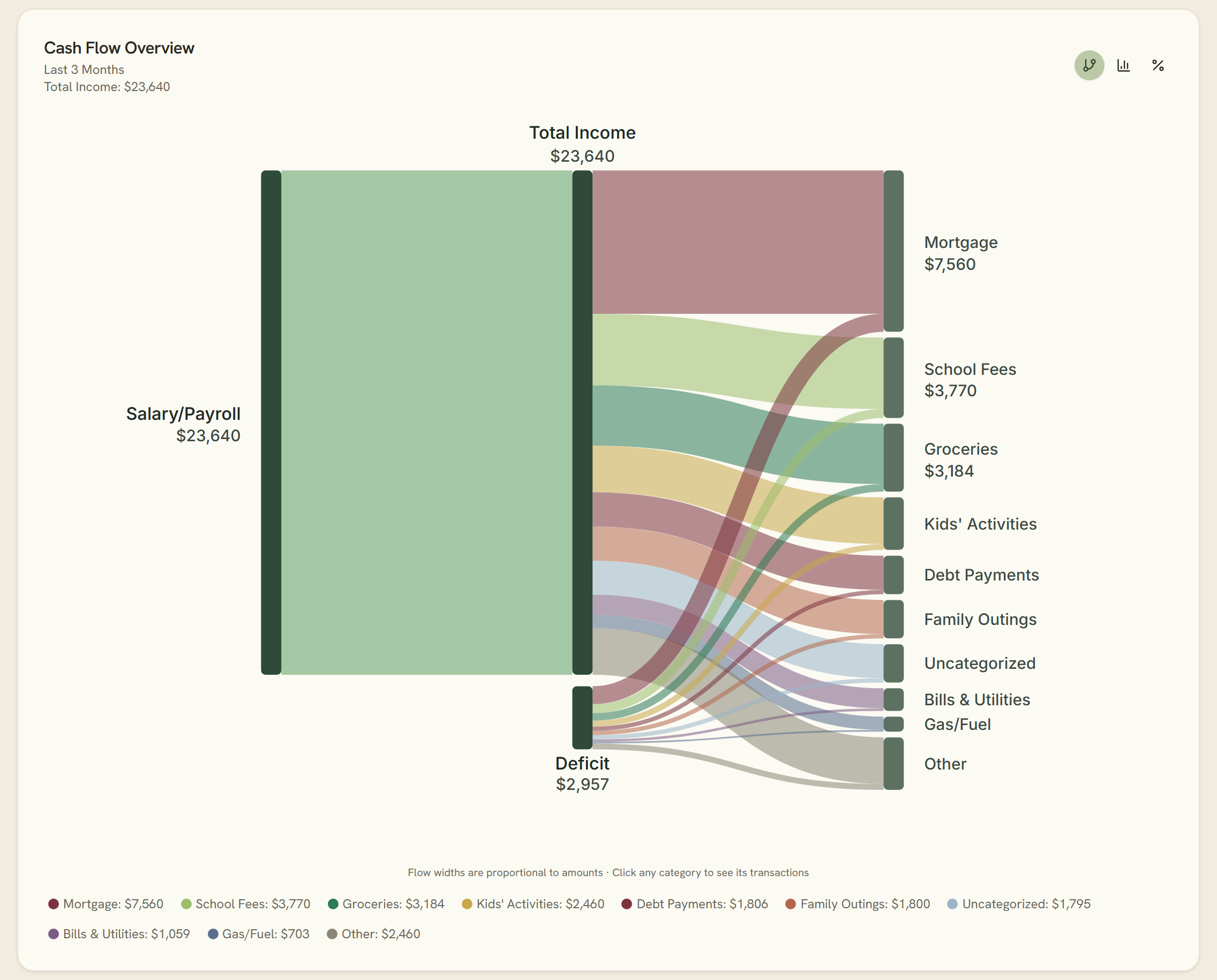
The cash-flow Sankey
This is the one people stare at. Your income streams flow across the screen and split into the categories you actually spend on — animated, and built entirely from your real linked-bank data.
Hover any flow and it tells you the amount, plus the line that reframes everything: % of expenses · % of income. That second number is the honest one. A dollar figure on dining is a fact; "a tenth of everything you earned" is a decision.
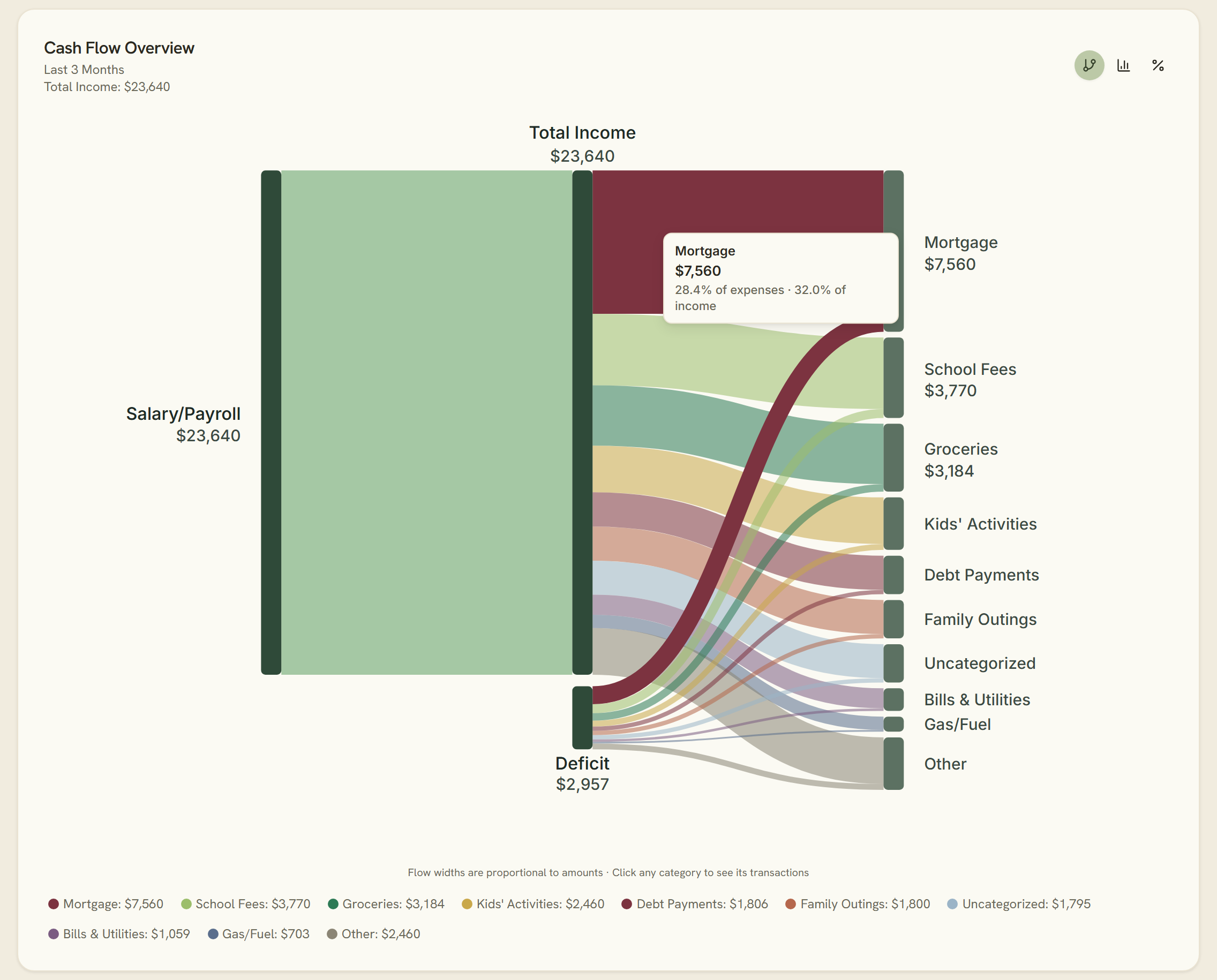
Then click the flow. You land on exactly those transactions — no filtering, no guessing which rows fed the ribbon. The chart and the ledger are the same thing, seen from different heights.
Trend, waterfall, donut
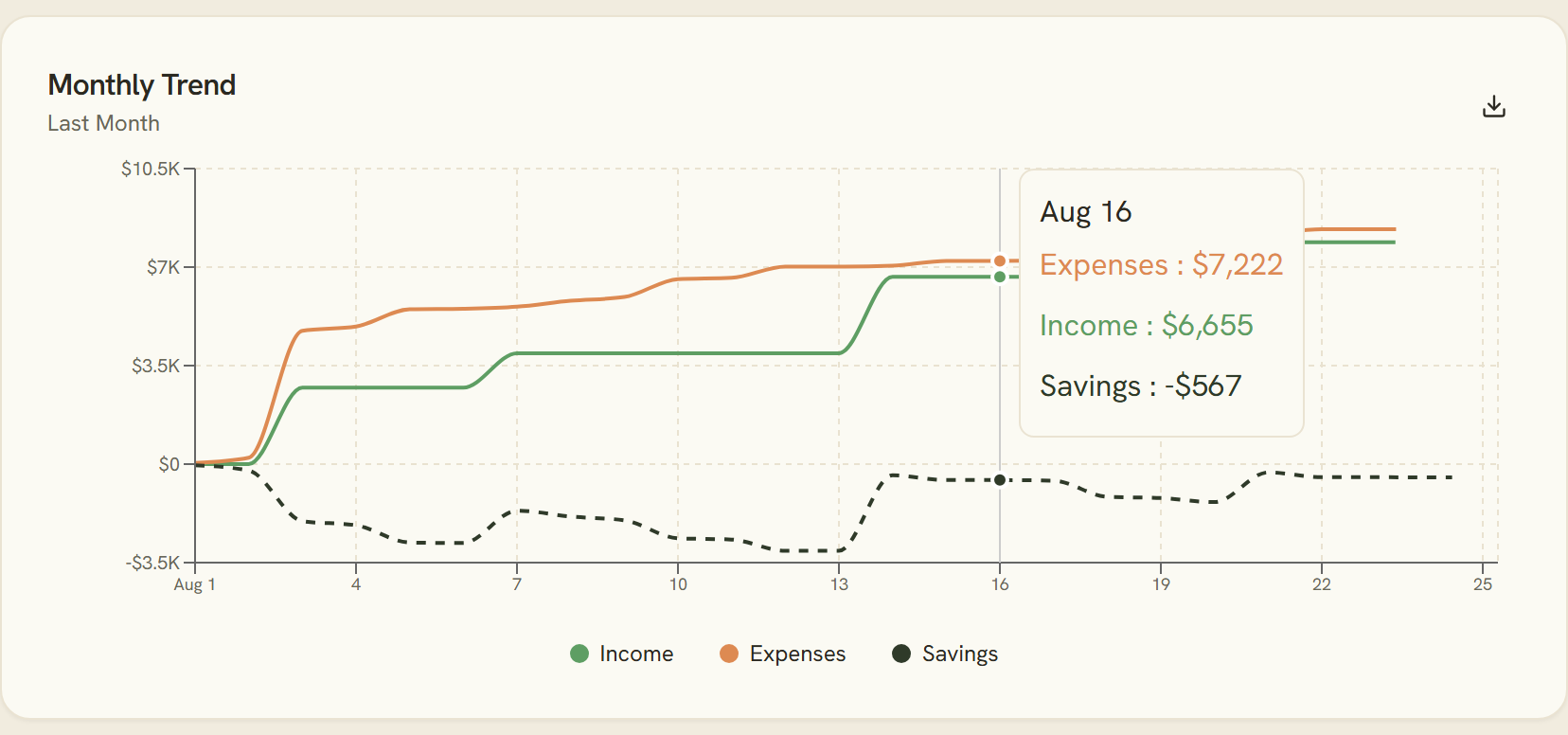
The monthly trend line puts income, expenses and savings on one axis, so a good month and a lucky month stop looking alike.
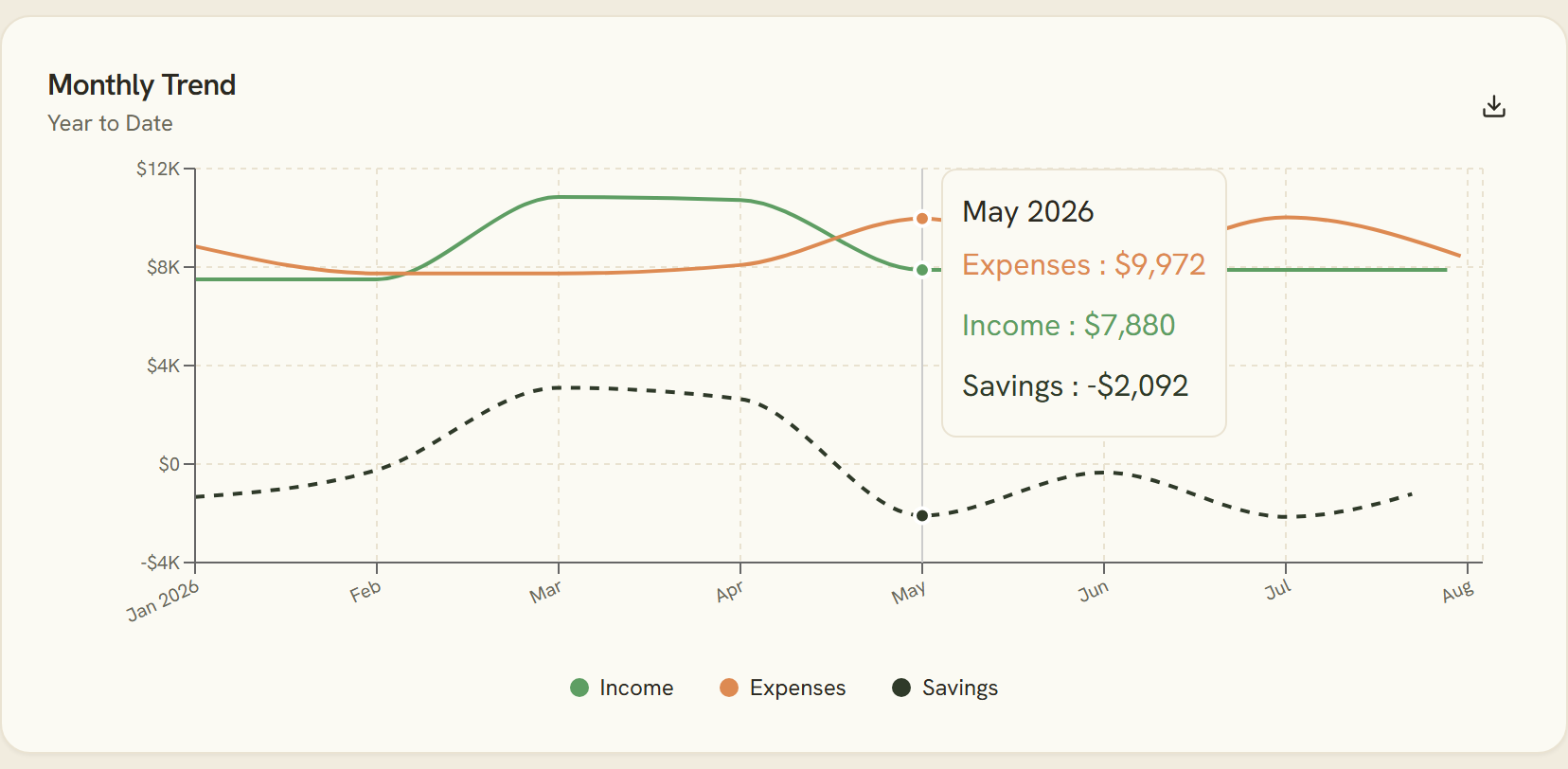
Zoom the range to a single month and the same lines go daily — a running month-to-date total you can watch build day by day.
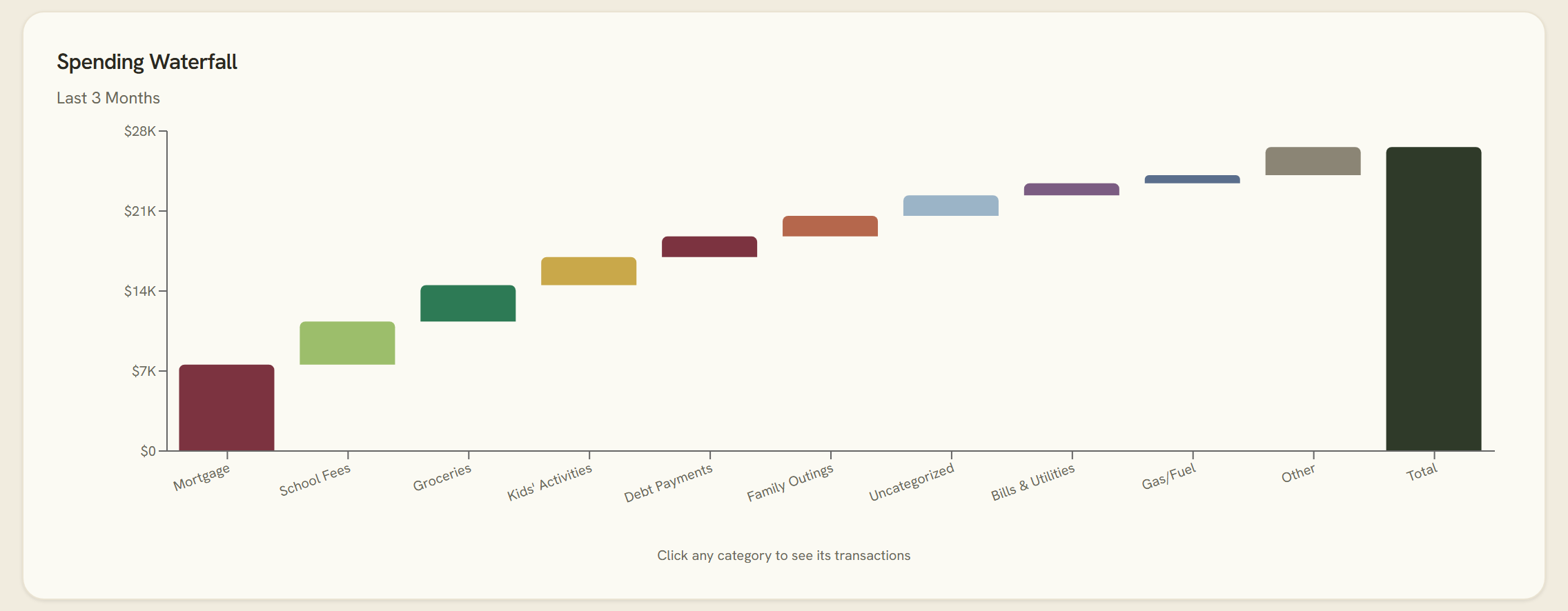
The spending waterfall shows where a month gained and lost ground, step by step.
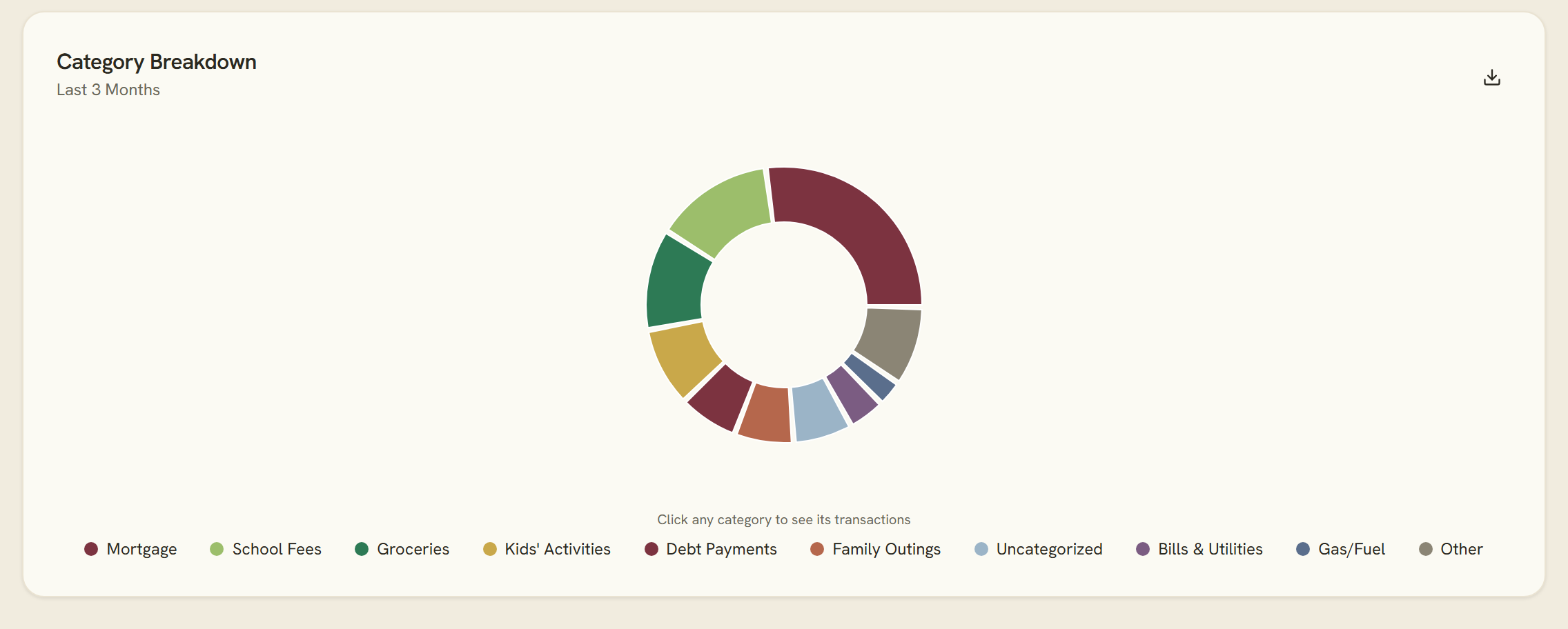
And the category donut gives you the shape of your spending in one glance. All of them are interactive, and all of them are reading your actual accounts.
The Transactions tab, for when you want the receipts
Charts are for noticing. This tab is for checking.
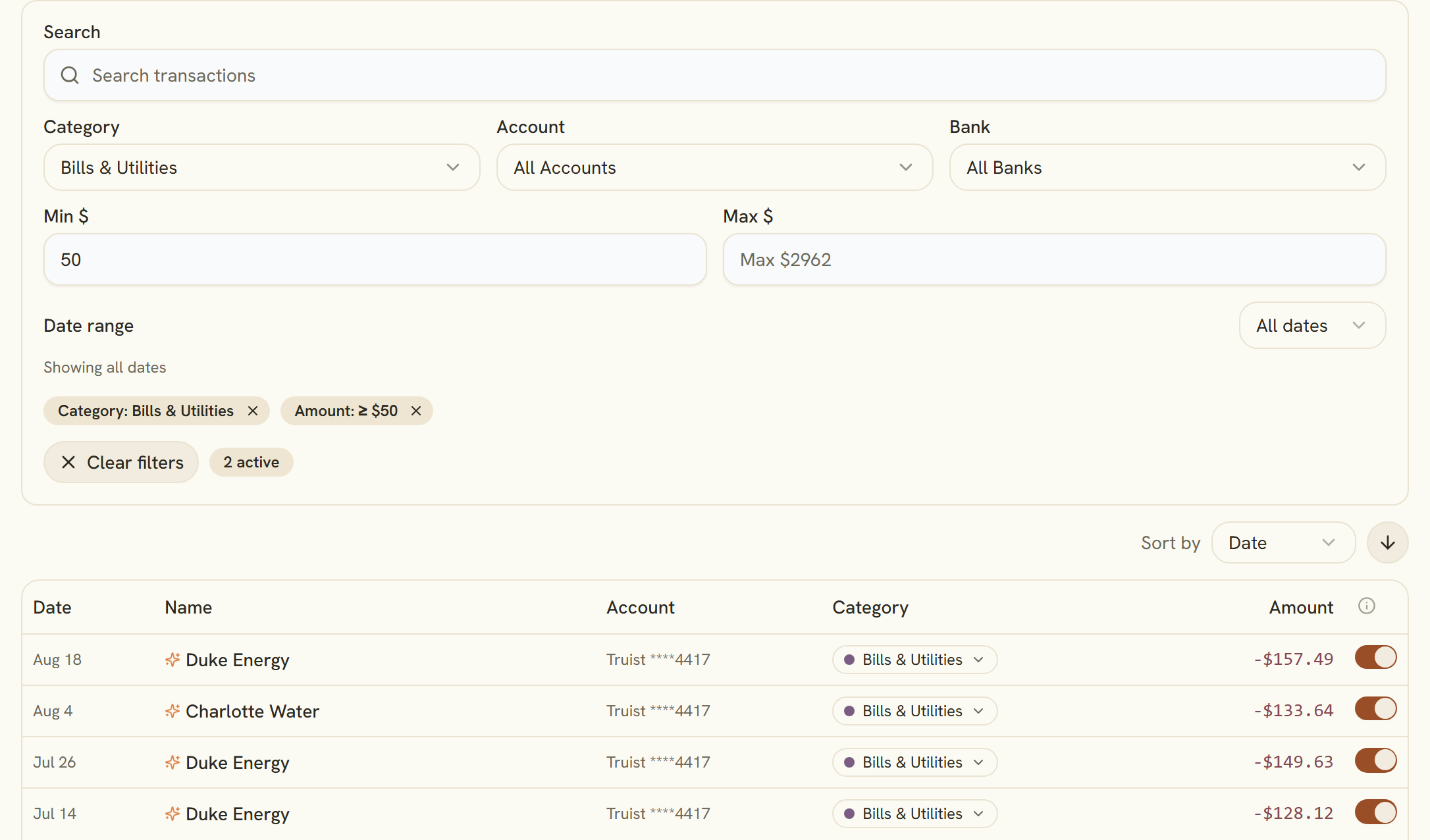
- Search across everything, then narrow it with filters for category, account, institution, date range and amount range.
- Every active filter becomes a removable chip, so you always know why you're looking at 14 rows instead of 400.
- Sort by date or amount, page through, and edit any row inline without leaving the list.
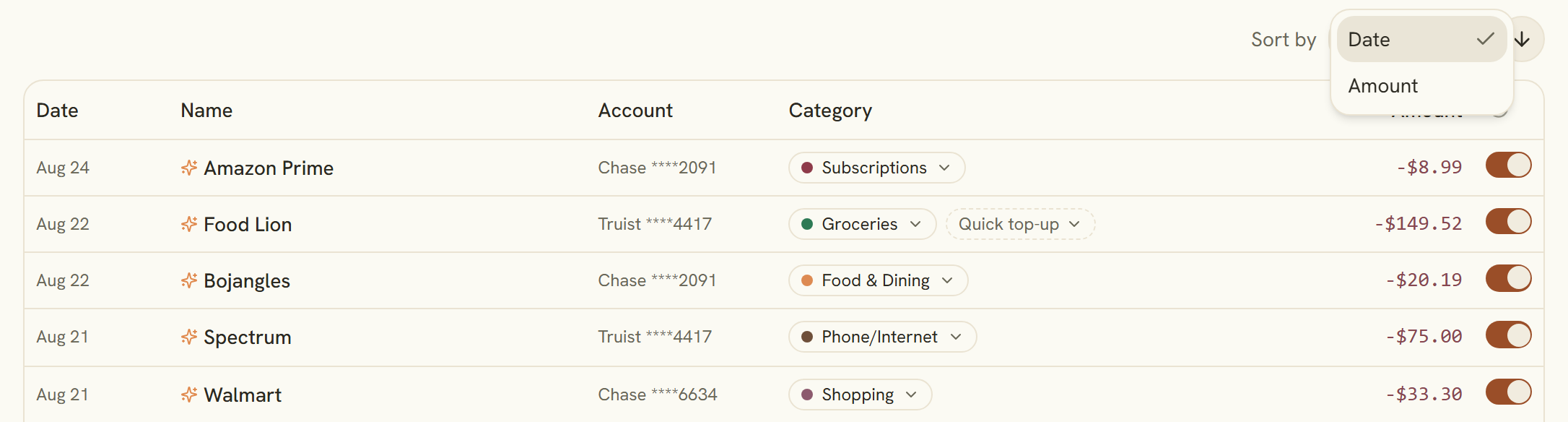
Ellie renames the noise
Here is the part that quietly changes how the whole page feels. Your AI CFO reads the cryptic bank string and writes the human name:
- CHECKCARD 0123 TST* JOE'S PIZ → Joe's Pizza
- SQ *STARBUCKS #12345 → Starbucks
- AMZN MKTP US*MV5X91YZ3 → Amazon Marketplace
- ACH DEPOSIT PAYROLL → Payroll Deposit
A sparkles icon marks every row the AI renamed, so you can always tell what came from your bank and what came from Ellie. And the original string is never thrown away — hover the row and you'll see "Original: …" sitting right there. If the AI guessed wrong, it's one click to edit.
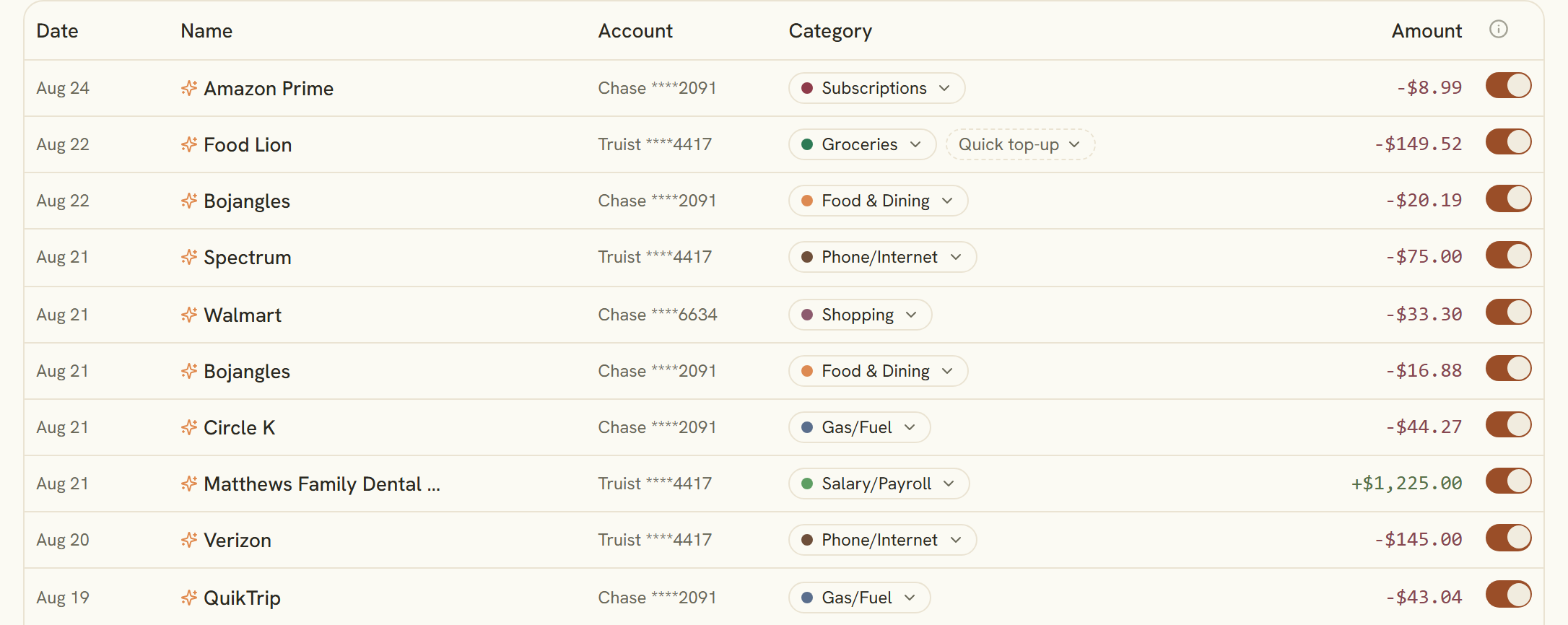
And sorts it into categories, automatically
Categorization runs through a tiered pipeline, most trustworthy signal first: your own rules, then the category signals your bank provides, then a merchant memory cache of what you've already confirmed, and only then the AI. It's a smarter order than asking a model about everything — your preferences win, and the same merchant doesn't get re-judged every month.
You get 37 default categories out of the box, plus unlimited custom ones with your own colors. It runs automatically after every bank sync — or you can switch that off and trigger it yourself with one Organize with AI click.
You keep the last word
Automation should save you the typing, not take away the pen.
Every AI edit is reversible, and nothing the bank sent you is overwritten or lost. Underneath it all: bank-grade encryption and SOC 2 infrastructure — because a page that knows this much about your month has to be worth trusting.
See your own picture
The point of My Money Overview isn't prettier charts. It's that "where did the money go?" stops being a rhetorical question. Link your accounts, let Ellie clean up the feed, and look at one honest map of your month.
Elenvo provides educational guidance, not investment advice.
Written by
Elenvo Team
Editorial Team
The Elenvo editorial team provides expert guidance on 401(k) rollovers, retirement planning, and building long-term financial stability.
Ready to Take Control of Your Finances?
Get a personalized AI-powered financial plan in minutes.